VR Tour
- Techniek
- Unreal Engine · Blueprints
- Team
- Solo
- Duur
- 25 werkweken
- Context
- Stage bij Simulatie Centrum Maritiem
Aanleiding Met VR Tour doorloop je scenario's die zijn opgebouwd uit 360-gradenfoto's en -video's. Onderweg krijg je informatie over specifieke punten. Zo kunnen mariniers in VR een omgeving leren kennen, zonder dat ze er in het echt hoeven te zijn. Door mijn geheimhoudingsplicht kan ik niet alles laten zien.
De tool Er zijn standaardscenario's met informatie over de ruimtes die je kunt ontdekken. Daarnaast is er een editormodus waarin je tijdens runtime zelf scenario's maakt: je plaatst informatiepunten, koppelt je eigen foto's en video's, en slaat alles op je pc op om later weer te gebruiken.
Mijn rol Ik ben de enige developer op dit project, dus alles heb ik zelf gebouwd: het inladen van media, de VR-interactie, de scenario-editor, het opslaan en de tutorial.
Eigen foto's en video's gebruiken zonder iets aan de code te veranderen
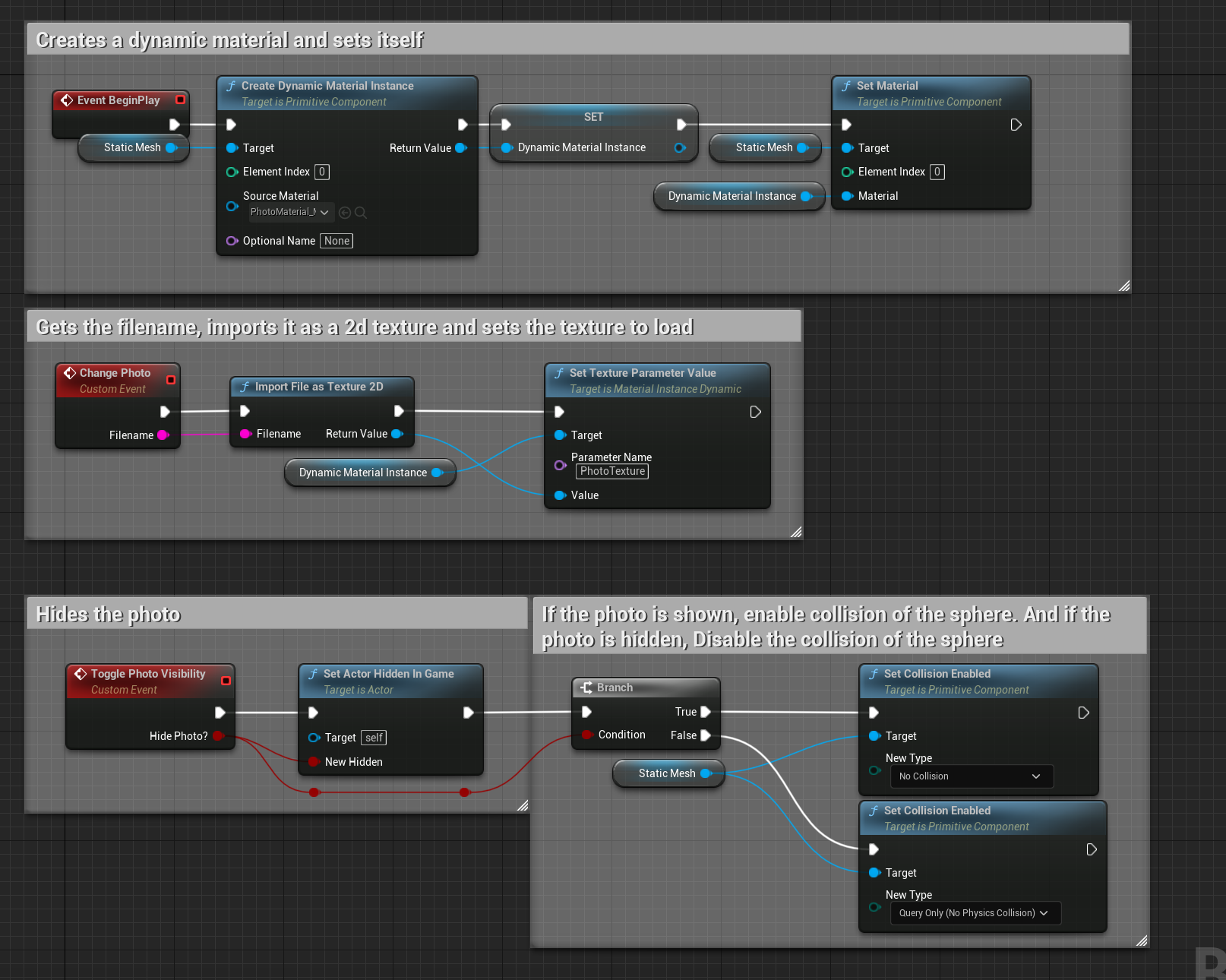
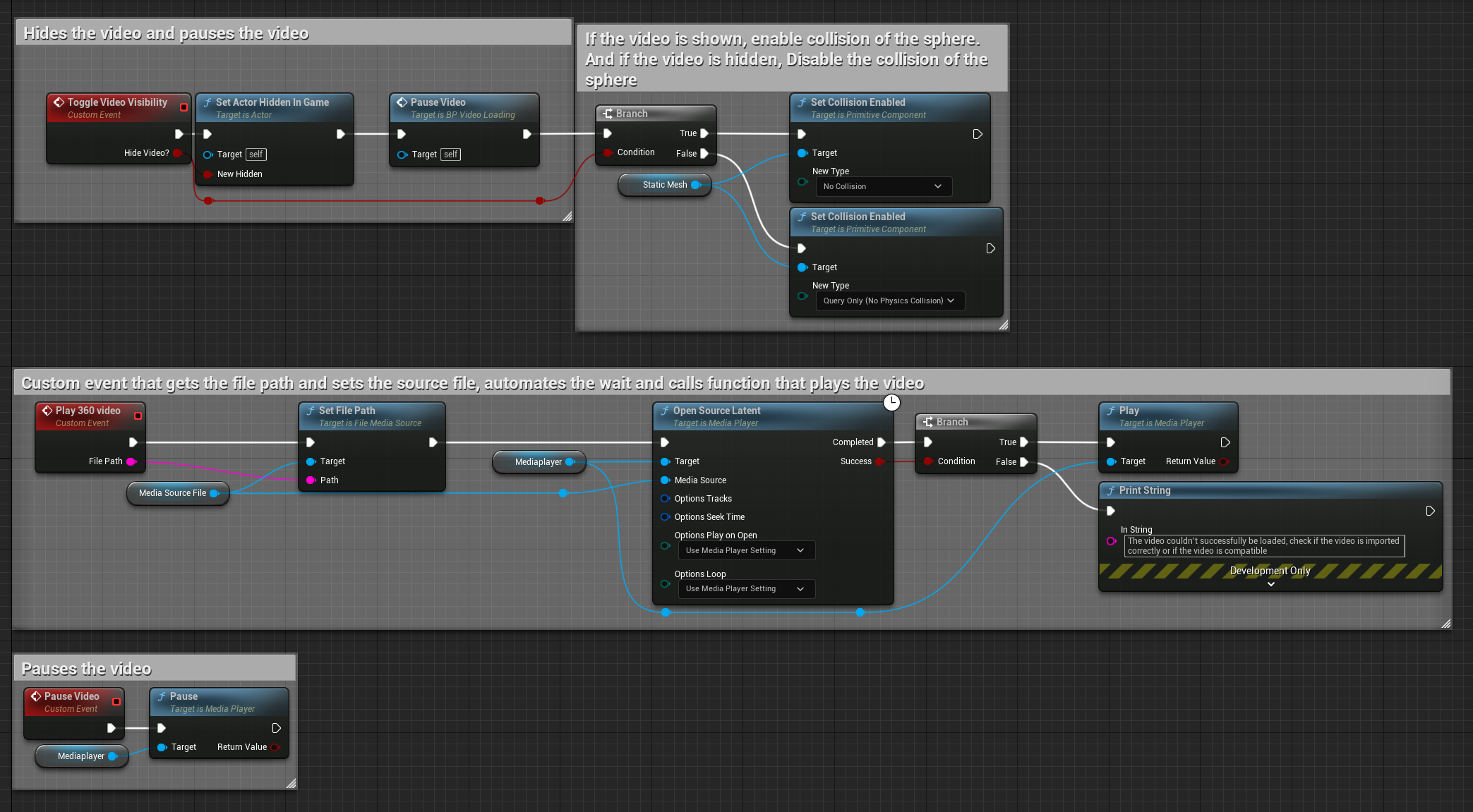
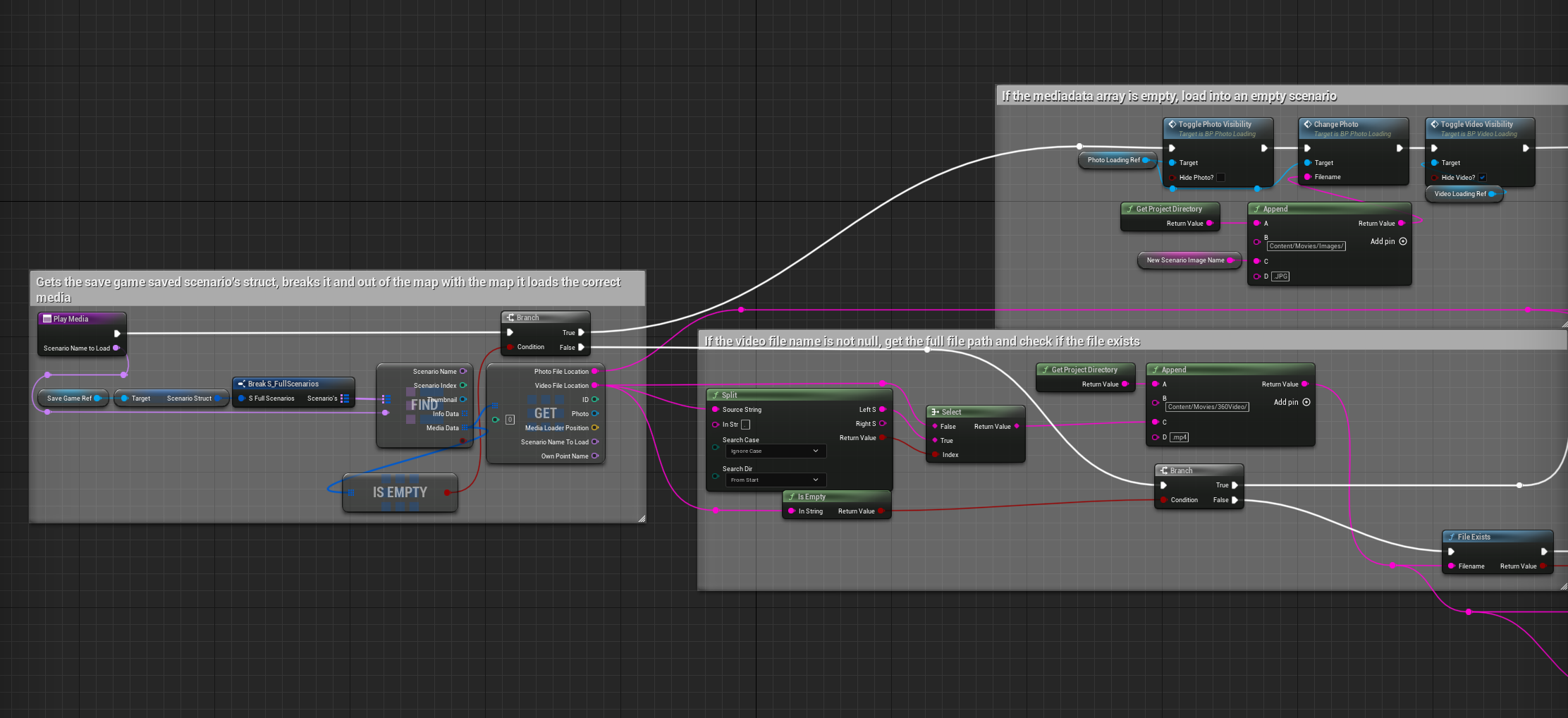
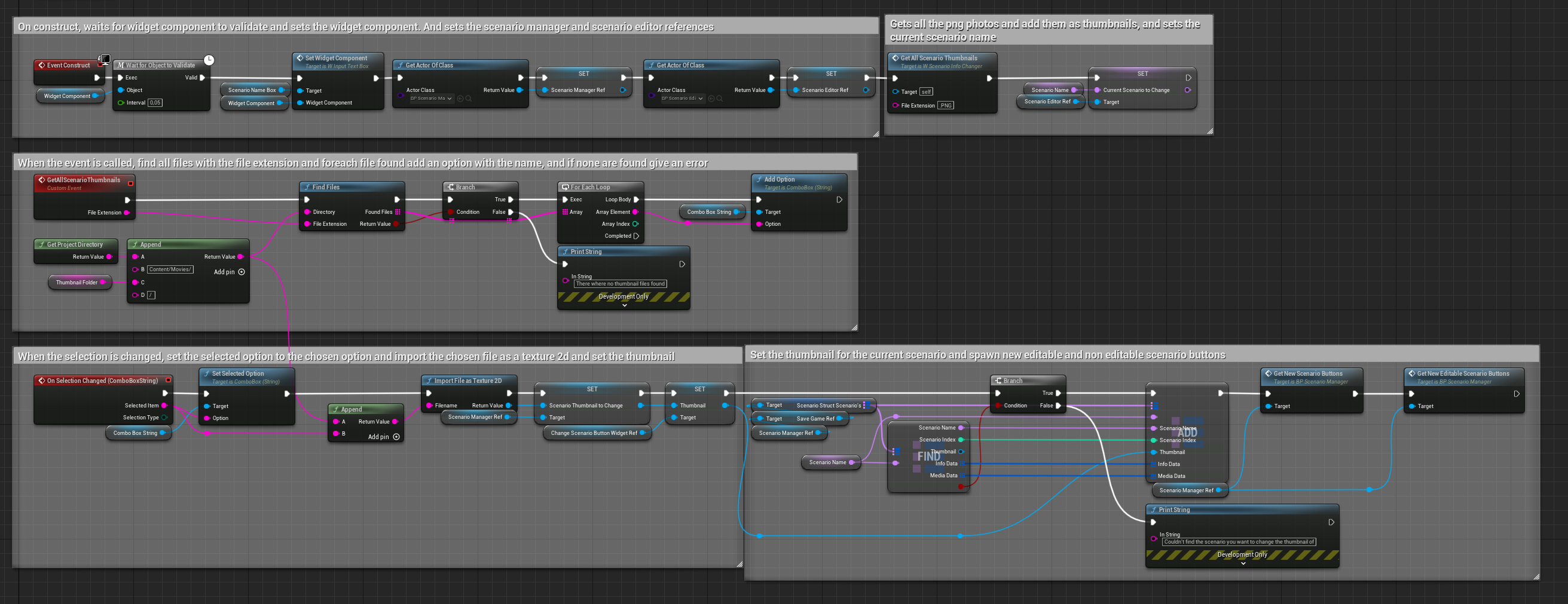
De scenario-editor moet werken met beelden die nog niet bestonden toen de app werd gebouwd. Daarom zoekt de editor bij het openen alle afbeeldingen in de mediamap van het project, maakt voor elk bestand een knop in een scrollbare lijst, en laadt het gekozen bestand in via het bestandspad. Nieuwe beelden toevoegen is daardoor een kwestie van ze in de map zetten.

Blueprint: zoekt alle .jpg-bestanden en maakt per bestand een widget in de lijst. Klik om te vergroten.
- Tech
- Unreal Engine · Blueprints
- Team
- Solo
- Duration
- 25 working weeks
- Context
- Internship at Simulatie Centrum Maritiem
Background VR Tour lets you walk through scenarios built from 360-degree photos and videos, with information about specific points along the way. This lets marines get to know an environment in VR without having to be there in real life. Because of a non-disclosure agreement I can't show everything.
The tool There are standard scenarios with information about the rooms you can explore. There is also an editor mode where you create your own scenarios at runtime: you place information points, attach your own photos and videos, and save everything on your PC to use again later.
My role I'm the only developer on this project, so I built everything myself: loading media, the VR interaction, the scenario editor, saving and the tutorial.
Using your own photos and videos without changing any code
The scenario editor has to work with images that didn't exist yet when the app was built. So when the editor opens, it finds all images in the project's media folder, creates a button for each file in a scrollable list, and loads the chosen file by its file path. Adding new images is just a matter of putting them in the folder.
Blueprint: finds all .jpg files and creates a widget in the list for each one. Click to enlarge.